
Before exporting, clarify the question, period and composition of the data so as not to disclose unnecessary personal information.
Where to start
A good report saves time on reconstructing the chronology. Dates, measurements, medications, and notes are visible, but only the user and physician determine what is clinically important.
PDF combines selected records into a readable document that is convenient to pre-check and show to a specialist. First practical guide for this task: open the report generation section.
Practical plan
- 01
Open the report generation section.
- 02
Select the relevant period and patient profile.
- 03
Create a PDF and view the pages.
- 04
Send the document only to the selected recipient.
What most often distorts observation?
- Send a file without opening it.
- Include the entire archive unnecessarily.
- Consider the PDF as an official medical record.
How does this relate to Vesometr
Vesometr generates PDF locally on the device and does not upload it to the developer's server.
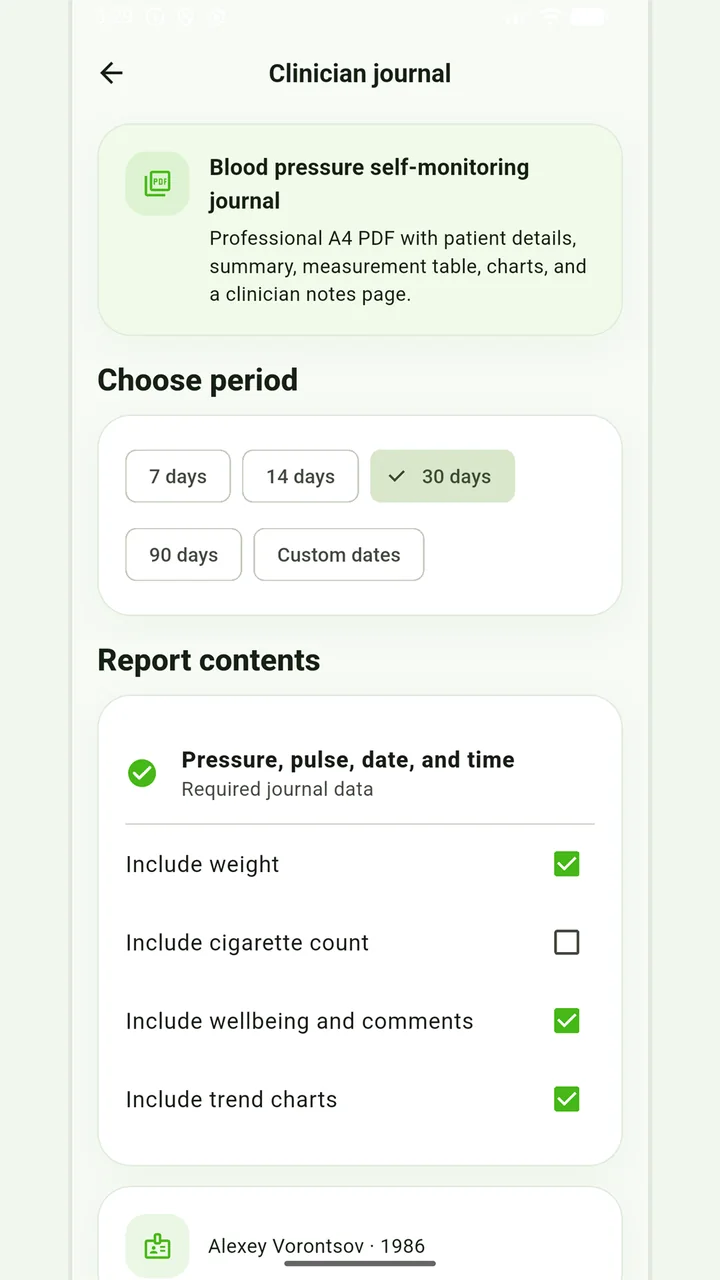
PDF for a consultation
Choose the period and journal sections before sharing a report with a professional.
How to check the result
Before consultation, it is useful to select a limited period, check the units and note the mode changes. Too long an unloading without emphasis can hide the main issue.
For a final review, go back to the last step: send the document only to the selected recipient. Compare it to the original target and specifically note exceptions that cannot be explained by the available records.
Don’t put off applying in order to accumulate the perfect report. If it is an emergency, report symptoms and follow directions from your healthcare provider; the diary can be shown later.
Full medical disclaimerBrief conclusion
PDF combines selected records into a readable document that is convenient to pre-check and show to a specialist. Working minimum to continue: open the report generation section. After this, use the remaining points as a testable plan and keep only actual observations.