
Check the settings in order and do not create duplicates until the cause is found.
Preparation
All master records are created manually and remain on the device. There is no account or cloud synchronization, so the user controls export, backup and deletion.
Local reminder depends on Android resolution, power saving, system time and active medicine card. First practical guide for this task: make sure notifications are enabled for the app.
Step-by-step checklist
- 01
Make sure notifications are enabled for the app.
- 02
Check the potency of the medication, course dates and times.
- 03
Disable background restrictions according to the device manufacturer's rules.
- 04
Create a close test time and wait for the signal.
What most often distorts observation?
- Reinstall the application without a fresh copy.
- Create many identical tenses.
- Consider the notification as proof of acceptance.
How does this relate to Vesometr
Vesometr schedules notifications locally; Specific restrictions on background work are set by Android and the manufacturer's shell.
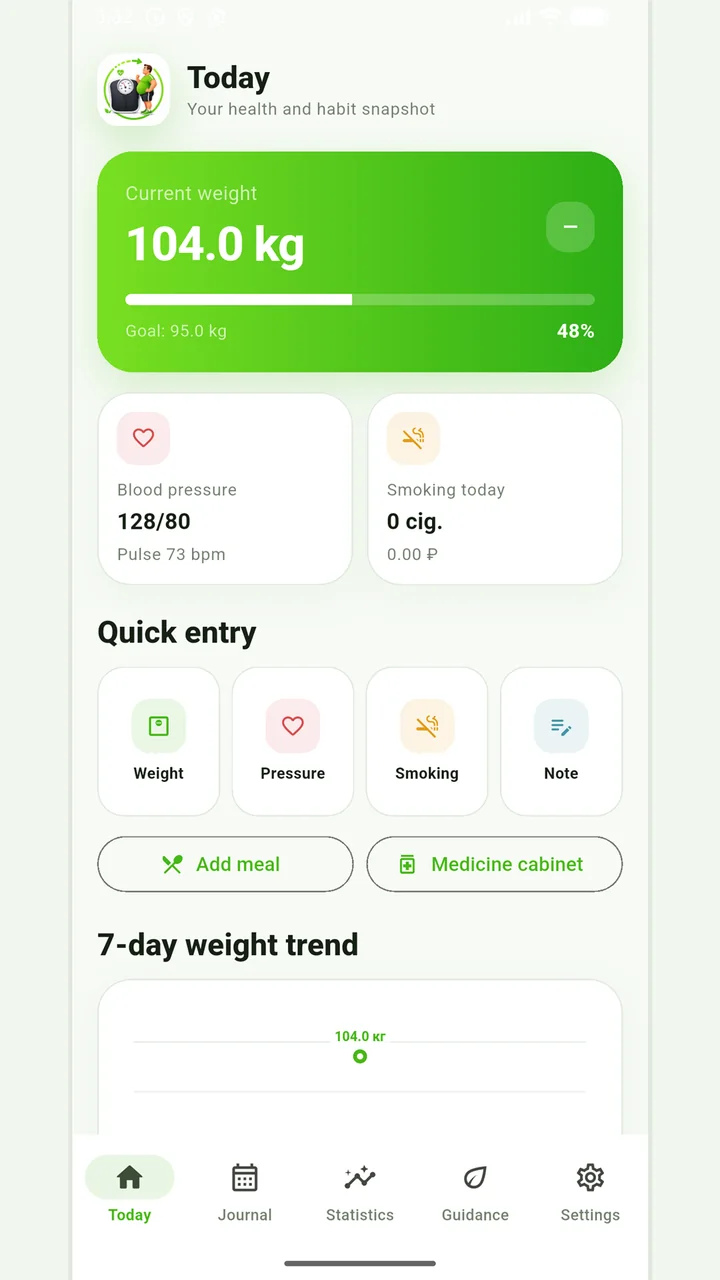
Vesometr 1.2.1
The main application tools and the current Android build.
A calm review of the records
Local recommendations are built according to specified rules and entered values, without artificial intelligence and remote analysis. These should be taken as journaling tips.
For a final review, go back to the last step: create a close test time and wait for the signal. Compare it to the original target and specifically note exceptions that cannot be explained by the available records.
The app organizes appointments and reminders, but does not verify treatment assignments and is not a substitute for professional advice.
Full medical disclaimerBrief conclusion
Local reminder depends on Android resolution, power saving, system time and active medicine card. Working minimum to continue: make sure notifications are enabled for the app. After this, use the remaining points as a testable plan and keep only actual observations.